 Site Connect
Every module, one workspace
Same people, same permissions. Every module uses the directory you already built — there is no second system to keep in step.
Projects & job sites
Every job site as a project: address, team, stage, tasks, hours, photos and the money side of the job.
Time clock & check-in
GPS check-in at the project address, an optional daily clock-in, timesheets and corrections with an approval trail.
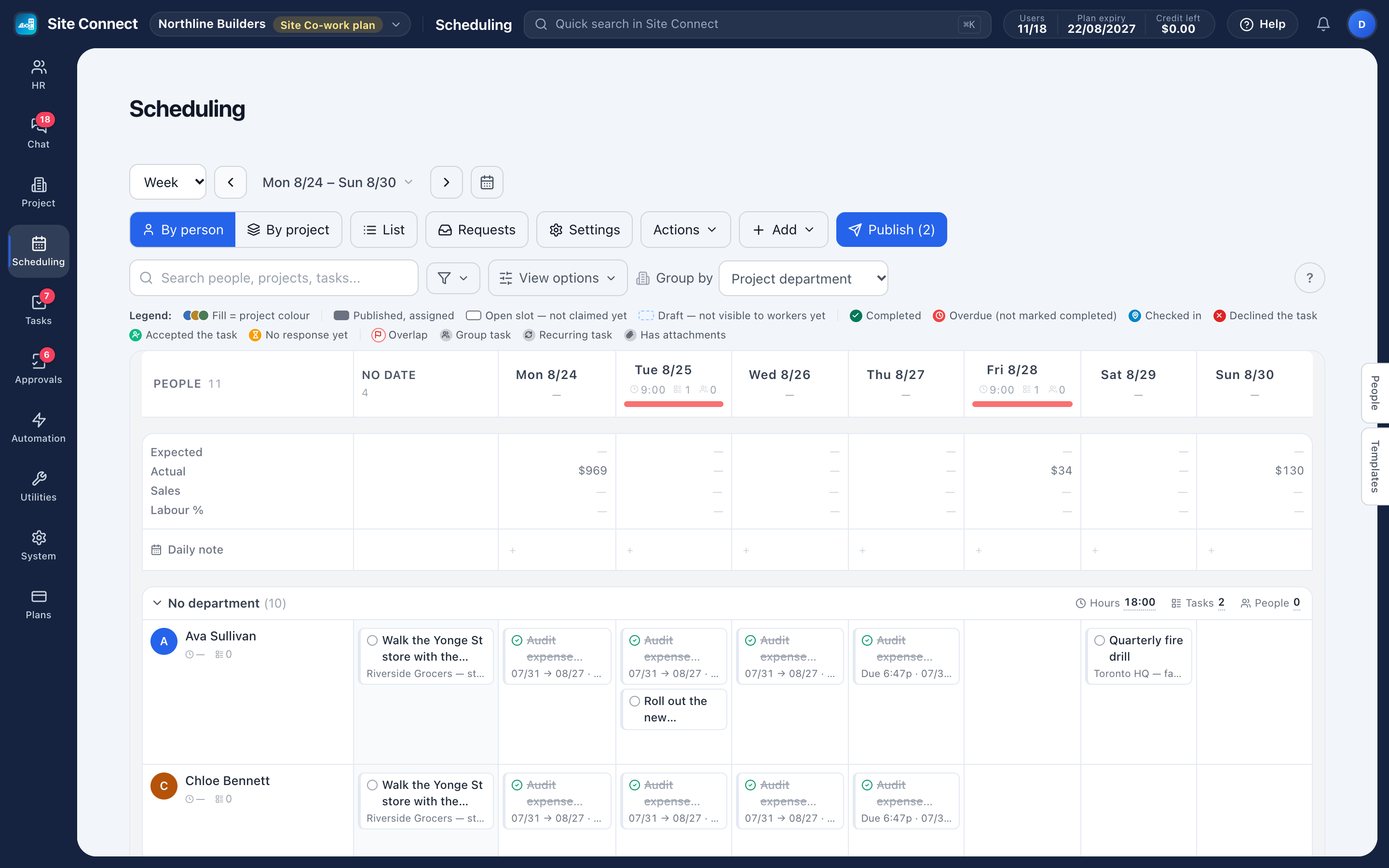
Scheduling
Plan the week on one board, copy last week, publish to phones and let your crew take open tasks.
Forms & checklists
Forms crews fill in when they check in to or out of a task — required items come before the timer starts.
Task management
List, kanban, gantt, calendar and workload views over the same tasks, with subtasks, photos and files.
Approvals
Design a request form, route it through the right signatures, keep the audit trail.
Team chat
Groups, direct messages, files and pinned notices, with a company-wide group kept in sync.
People & HR
Employee records, contracts and renewals, org chart, leave requests and yearly balances.
Assets & equipment
What you own, who holds it, handover and return with condition — plus the online accounts and subscriptions you pay for.
Automation
"When this happens, do that" — send a chat notification or create a task, without anyone remembering to.
Mobile app
The crew side of the product: check in, fill the form, take photos and voice notes, chat, approve.
The connections are the point
Most tools stop at their own edge. These do not.
| When this happens | This follows, automatically |
|---|---|
| A leave request is approved | The days appear on the monthly timesheet and the person is no longer counted absent |
| An attendance correction is approved | The record is rewritten and the day is re-evaluated, with the trail kept |
| Someone checks in on a task | The hours appear on the project's Work hours tab, costed at that person's rate on the day |
| A form is added to a project's check-in | Check-in on that project's tasks can't start until its required items are answered, and the submission is filed with the visit |
| A worker taps Ask for cover | Coworkers see the task and one of them takes it — with manager approval if you require it |
| A chat message needs follow-up | Create task turns it into a task that links back to the message |
| A new employee is added | They join the company chat group at its next hourly sync (when auto-sync is on) and can be scheduled right away |
| Somebody leaves | Deactivating them signs them out and frees their seat; the handover log filters by their name, and Scan former employees flags the accounts they used |
Built to be run by an operations team, not an IT project
Roles and permissions
Every page has a permission. Roles bundle them; menus and the server both enforce them.
Web and mobile
Administration on the web, the day-to-day on the phone — one account, one directory.
Moving from Connecteam
Import people, teams, jobs, schedules, hours, time off, forms and photos — read-only, so nothing changes in Connecteam.
Multi-workspace
One person can belong to several workspaces and switch between them without a second login.
Get your whole team on one system this week
SiteConnect Base is free for your first 3 users — no card, no sales call, no migration project.
Free forever for 3 users · then $3 per user a month · no credit card