 Site Connect
When this happens, do that
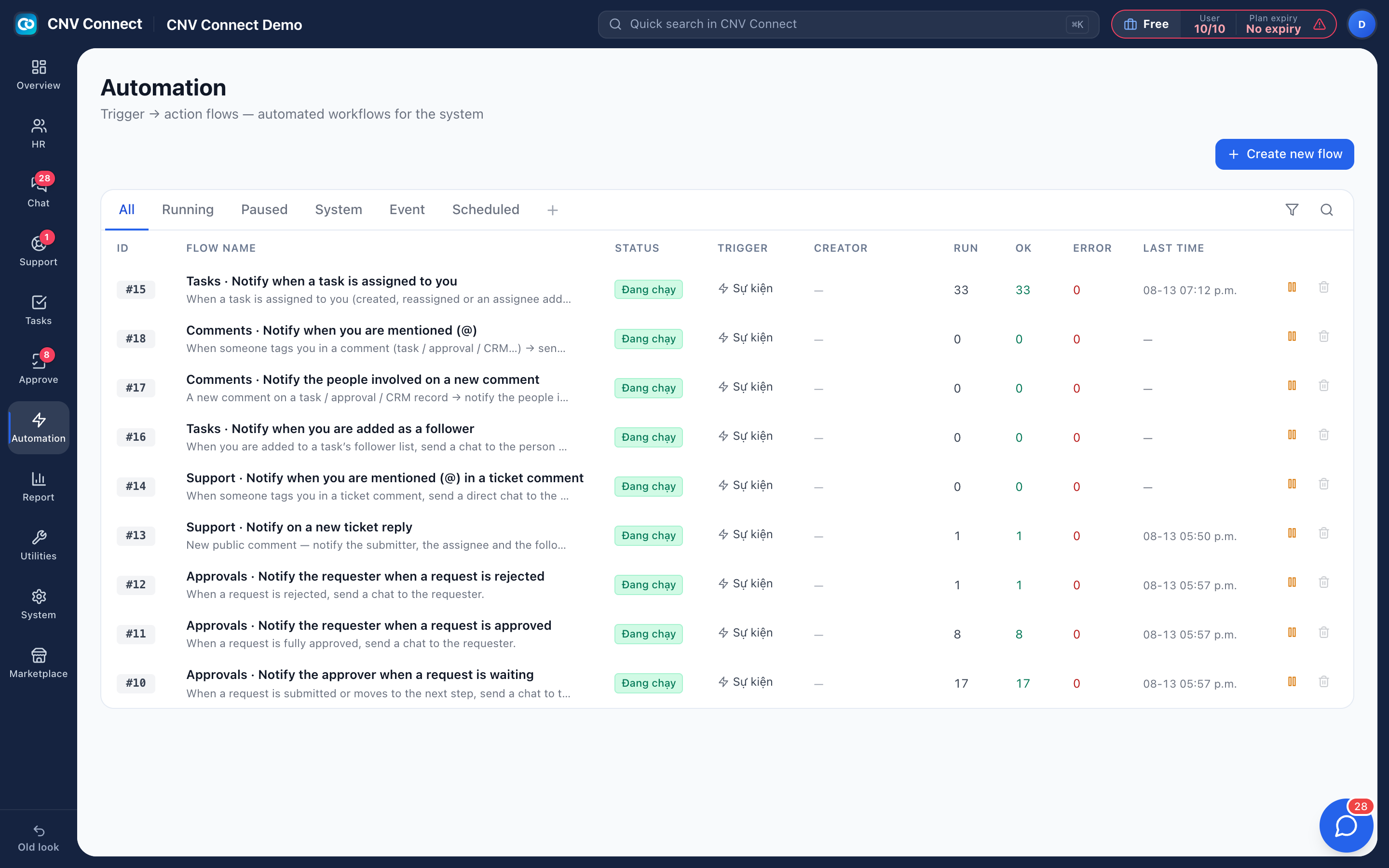
Flows watch for an event — a task assigned, an approval waiting, a new employee, a time you set — and then send a chat notification or create a task, without anybody remembering to.
Triggers
Events in Tasks, Approvals and HR, a schedule you choose, an incoming webhook, or a manual test run.
Test before it is live
Run a flow once with Test run and read the result before you activate it.
Run logs
Every execution with its outcome — the page that says whether a flow never fired or fired and failed.
Health at a glance
Run, success and error counts per flow in the list, so a silently failing flow is visible.
Start from what already runs
A new workspace ships with built-in flows switched on — task assignment, approval and comment notices. Open one to see its shape, or start from a ready-made template in the Automation library. Conditions keep a flow narrow, which is what stops automation becoming noise.
- Post into a chat group through a bot identity
- Pause a noisy flow without losing its history
- People can see which flows are set to notify them personally
How teams set this up
- Create the flow and set one trigger and one action.
- Test-run it and check the log.
- Narrow it with conditions, then widen the scope.
- Watch the error column weekly.
Frequently asked
Do flows run when nobody is signed in?
Yes — they run on the server, including scheduled ones.
Can a flow work with an external system?
Another system can start a flow through its incoming webhook URL. Calling out to external systems isn't available yet.
Works with
Team chat
Groups for teams and sites, direct messages, files, pinned notices and bots that announce what the other modules are doing — inside the same workspace, on the same accounts.
Task management
List, kanban, gantt, calendar and workload — the same tasks, arranged for whoever is looking: the person doing the work, the manager balancing it, the director tracking the deadline.
Approvals
Leave, overtime, expenses, business trips, attendance corrections — design the form, decide who signs and in what order, and let the system notify everyone.
Get your whole team on one system this week
SiteConnect Base is free for your first 3 users — no card, no sales call, no migration project.
Free forever for 3 users · then $3 per user a month · no credit card