 Site Connect
Requests with a signature chain and a paper trail
Leave, overtime, expenses, business trips, attendance corrections — design the form, decide who signs and in what order, and let the system notify everyone.
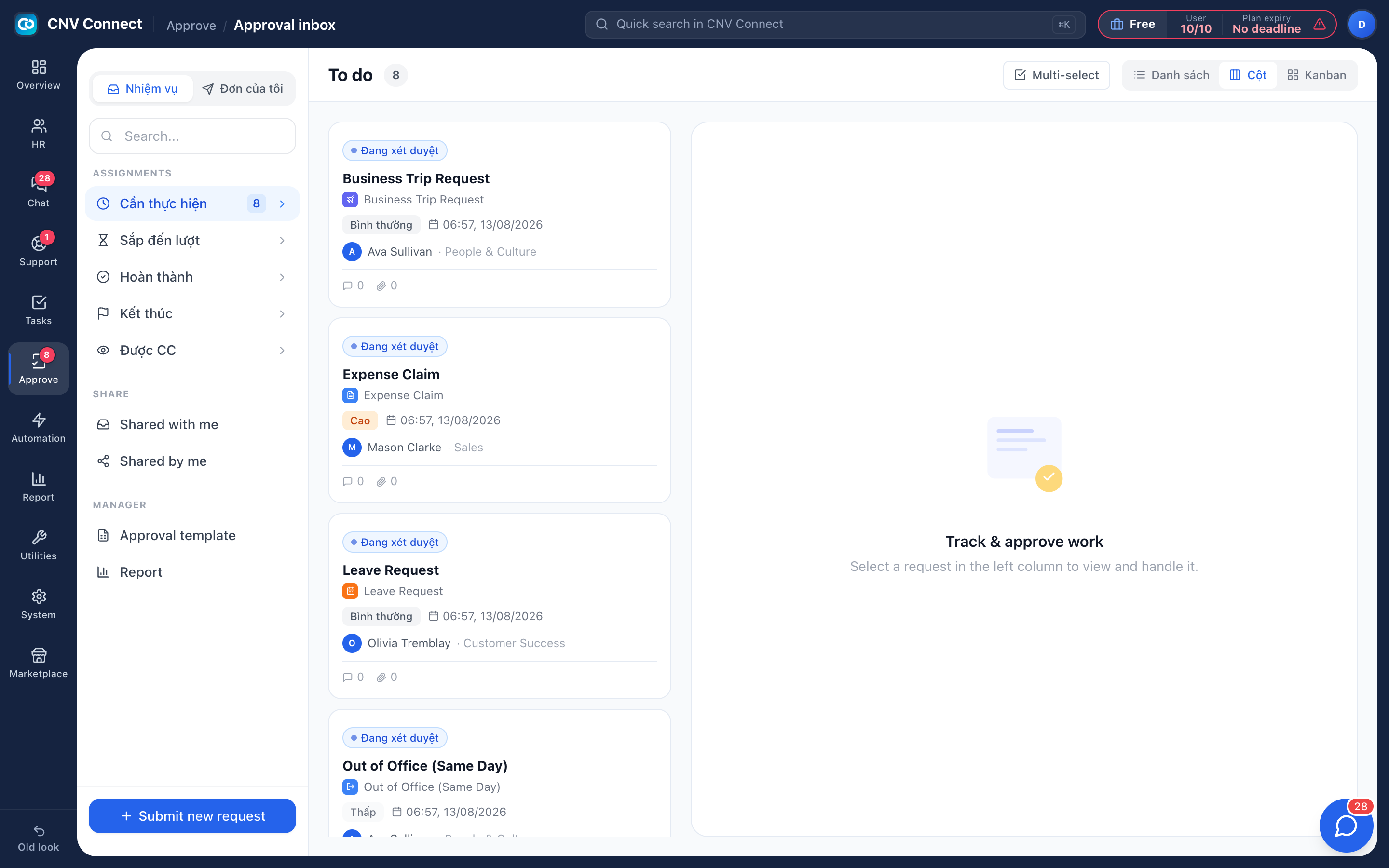
One inbox
The badge counts only what is waiting on your signature — not everything in flight.
Your own forms
A four-tab builder: information, form fields, workflow, settings.
Routing that scales
Point a step at a person, a role, or "the submitter's manager" and one template serves the whole company.
Audit by default
Every decision keeps the approver, the timestamp and the note. Nothing is decided in a private chat.
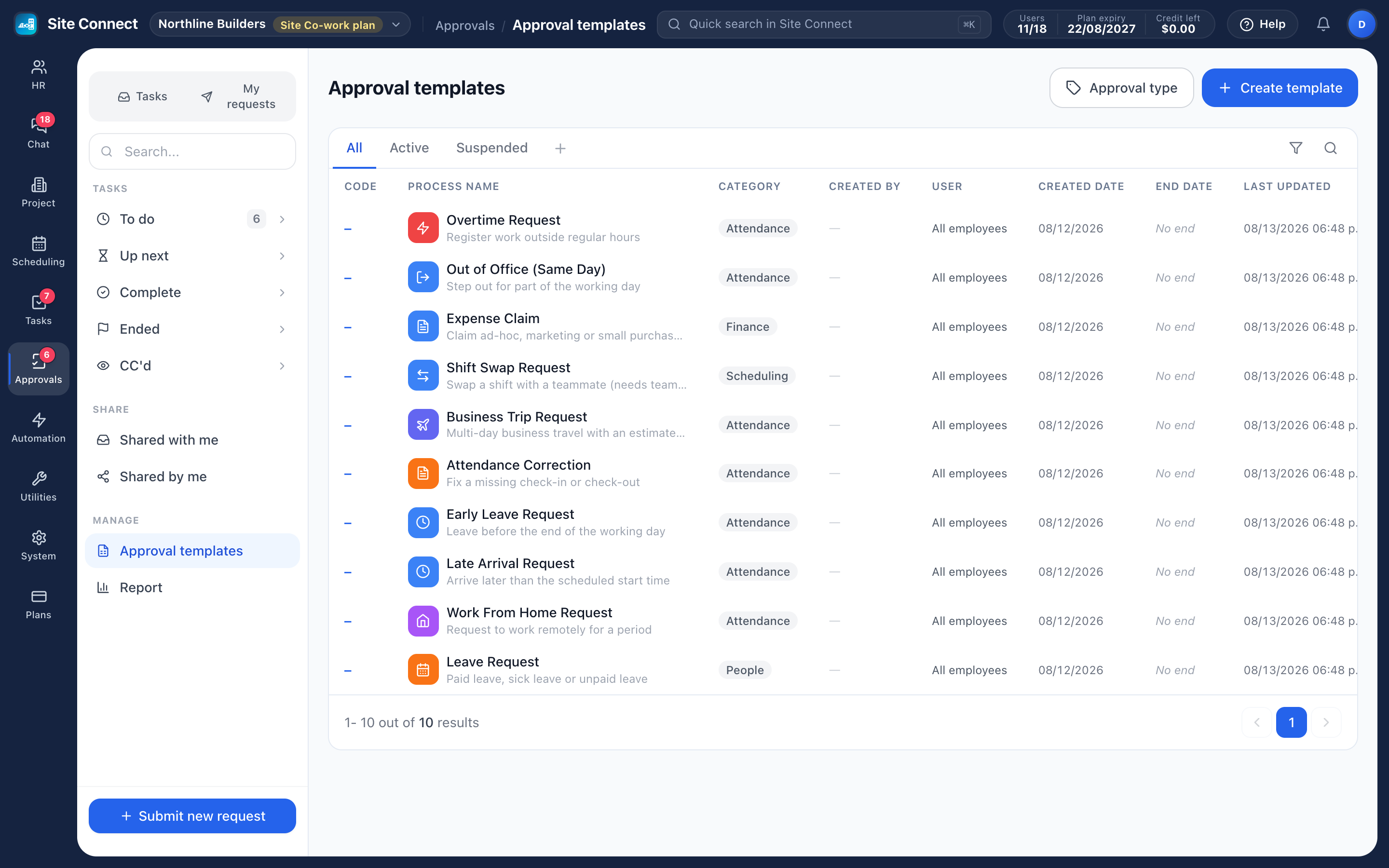
Templates you can actually change
A new workspace starts with ten ready-made templates — time off, overtime, expenses, business trips, attendance corrections and more. Adjust the form, add a finance step above a threshold, or pause a process without deleting its history.
- Conditional steps that read the values in the form
- Restrict who may submit a sensitive template
- Changes apply to new requests; requests in flight carry on
- Templates can be time-limited, or never expire
Decisions that write back
An approved leave request is recorded as leave and lands on the timesheet. An approved attendance correction rewrites the record and recalculates the day. Until a request is approved, the day stays as recorded — which is why approving on time keeps payroll clean.
- Copy somebody in for visibility without giving them a decision
- Multi-select for a batch of identical, low-risk requests
- Statistics per template and per approver, with processing time
How teams set this up
- Pick the process you want to formalise.
- Build the form, then the signature chain.
- Submit one test request and watch where it lands.
- Track volume and speed in the approval statistics.
Frequently asked
Can two people approve in parallel?
Yes — a step can hold more than one approver, which is also how you cover holidays.
What happens if an approver leaves?
Point the step at a role or at the department head rather than a named person, and the chain survives the change.
Can a decision be undone?
No. Decisions are final by design; a mistake is corrected with a new request, which keeps the trail honest.
Works with
People & HR
Records, contracts and renewals, departments, the org chart, leave requests and yearly balances — the master list that projects, scheduling, assets and approvals all read from.
Task management
List, kanban, gantt, calendar and workload — the same tasks, arranged for whoever is looking: the person doing the work, the manager balancing it, the director tracking the deadline.
Time clock & check-in
Crews check in on their phone when they arrive at a task, and their hours count from that moment.
Get your whole team on one system this week
SiteConnect Base is free for your first 3 users — no card, no sales call, no migration project.
Free forever for 3 users · then $3 per user a month · no credit card